See every QR code scan, tap and download as it happens
Events is a live stream of everything people do with your QR codes, short links and hosted pages. Not only that someone scanned, but what they did next.
Included on every plan. Nothing to install.
One stream
Scans, clicks and interactions in one place
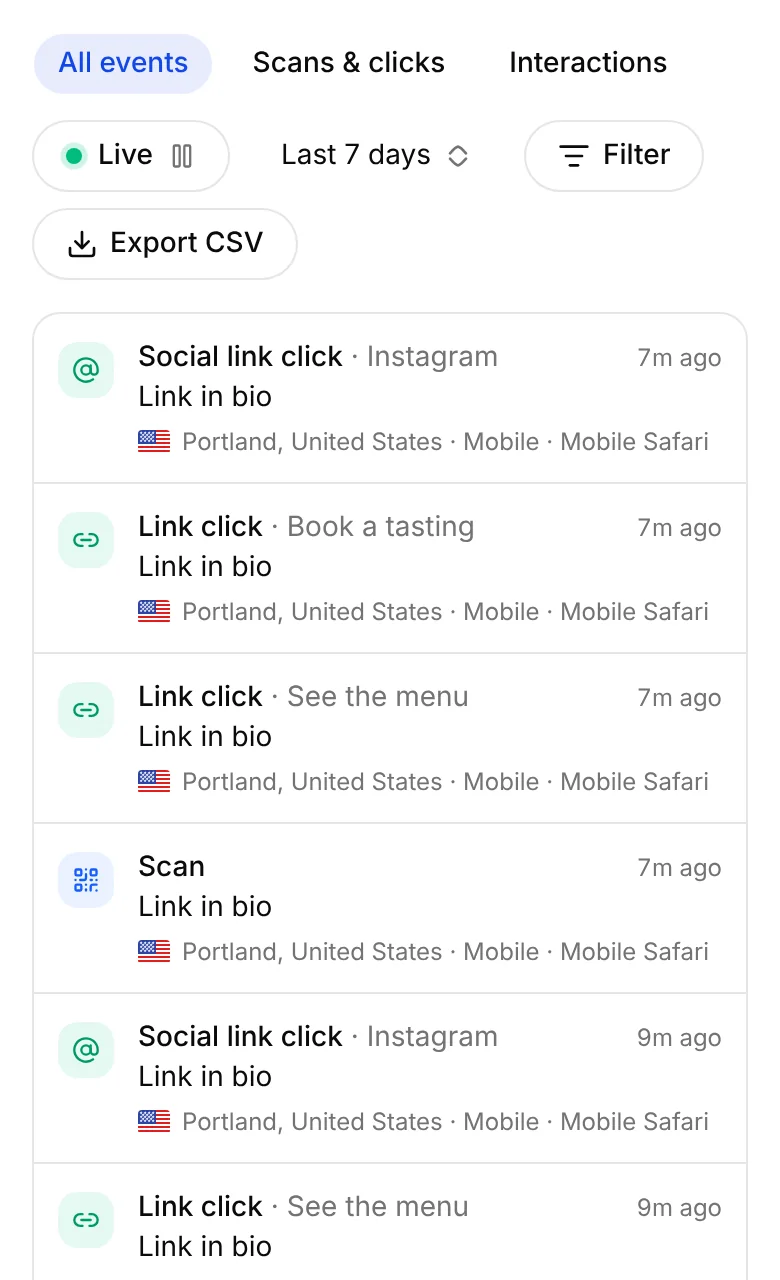
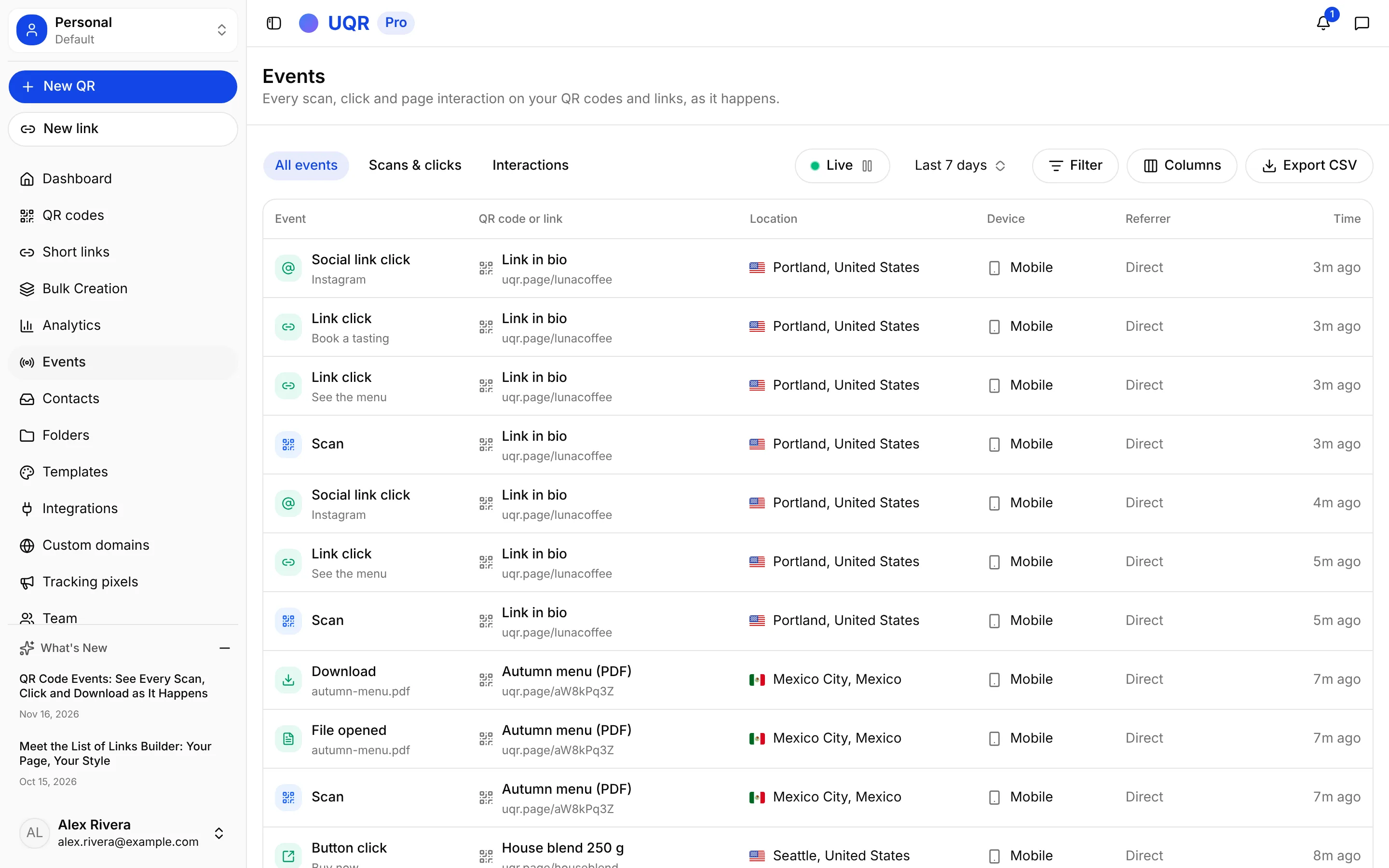
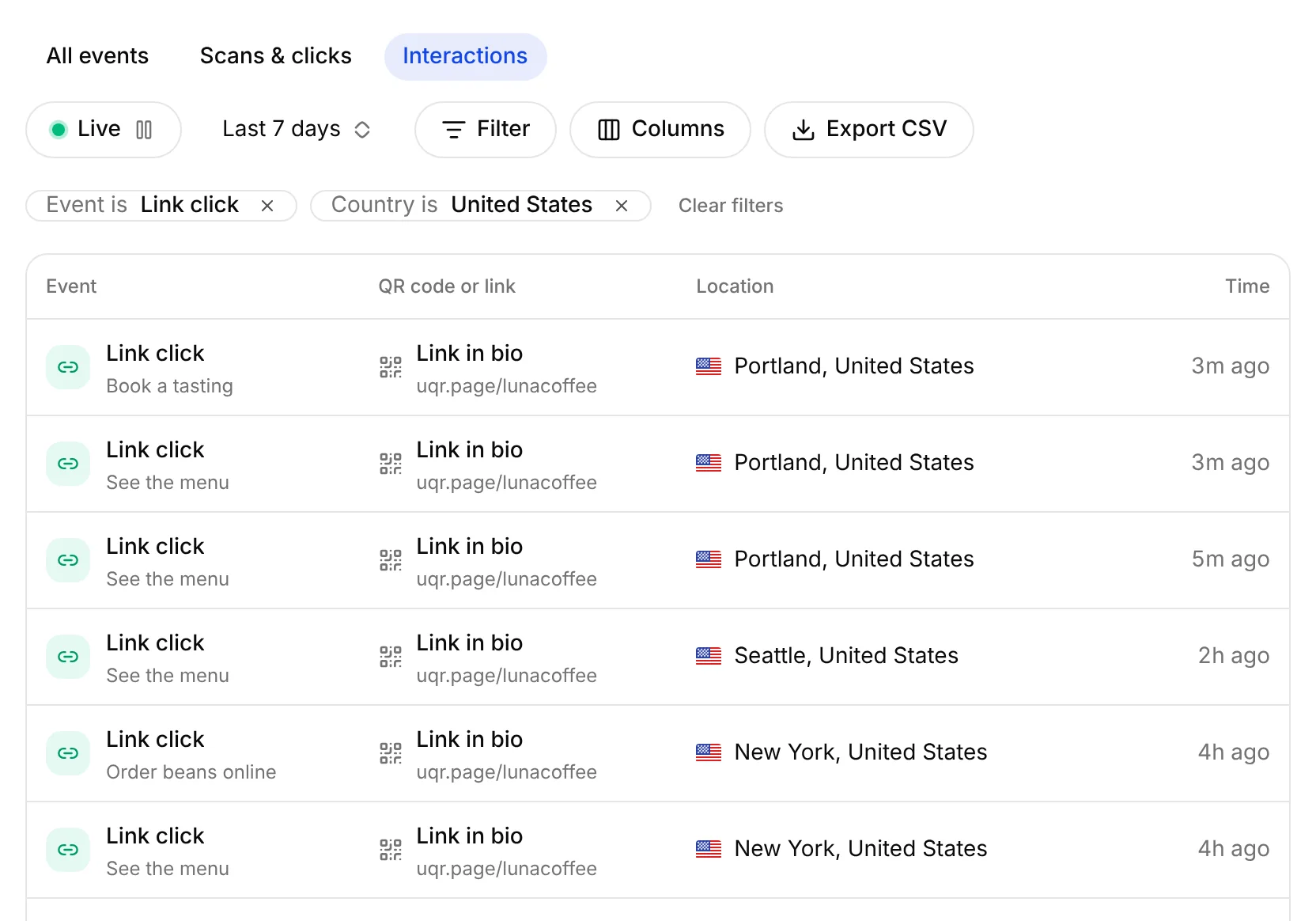
Every row is one thing one visitor did: what happened, on which QR code or link, where, and on what device. Newest first.
After the scan
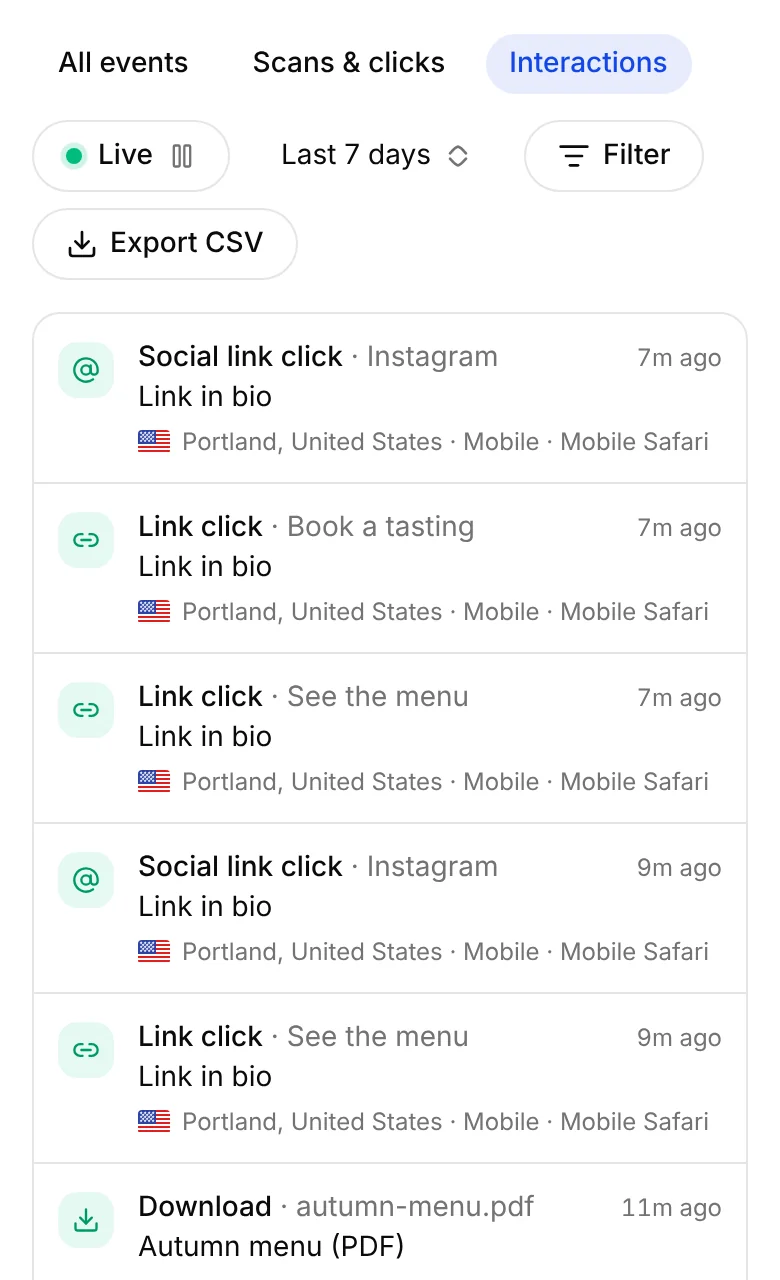
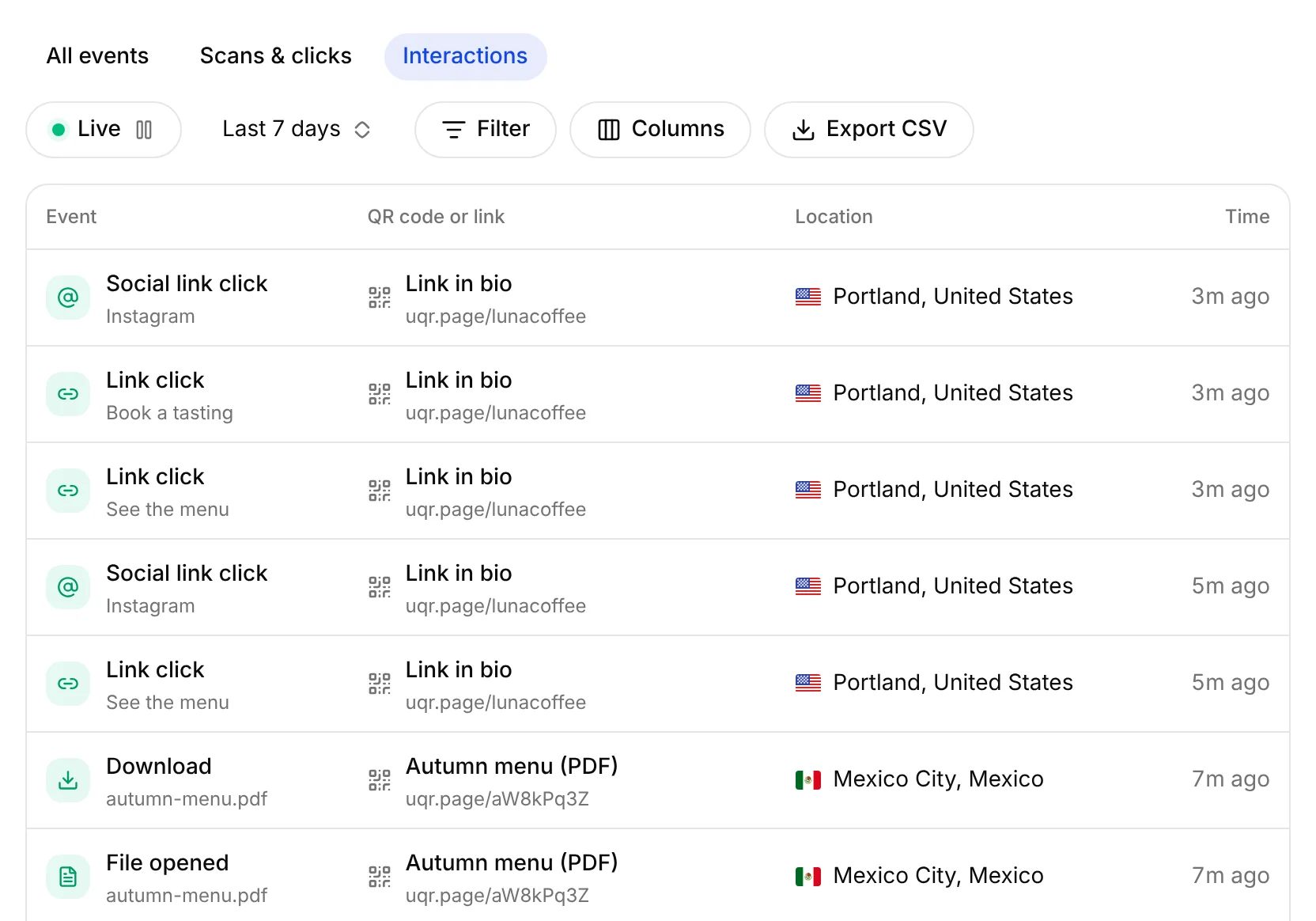
Know which link was tapped, not only that the page opened
Each interaction names what was used: the title of the link, the name of the file, the label of the button. That is the difference between 62 visits and 22 people who tapped the menu.
Live
Watch it arrive
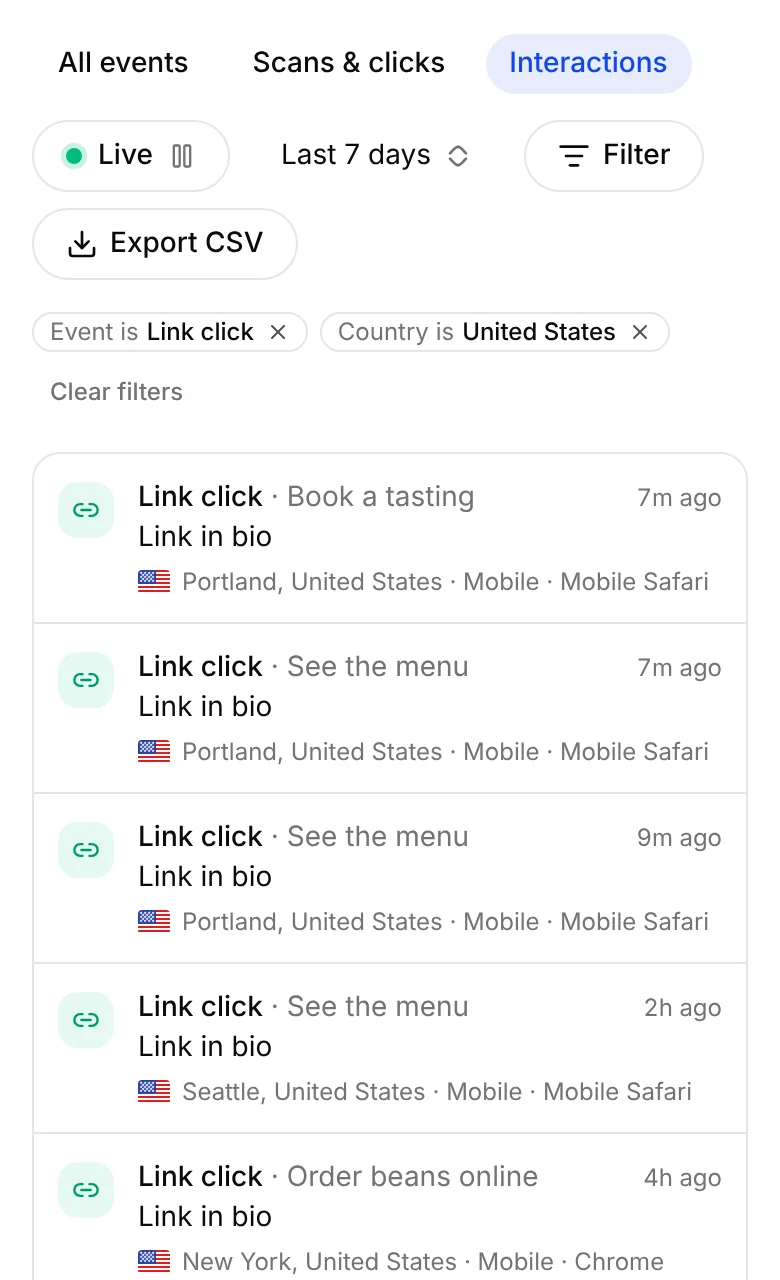
New events appear at the top on their own and stay highlighted for a moment. Scan your own proof before a print run and see the row land.
Filters
Narrow the stream to one question
Filter by event, QR code, country, device or date. Filters are part of the page address, so a view can be bookmarked or sent to a teammate.
Totals
The ranking that tells you what to move
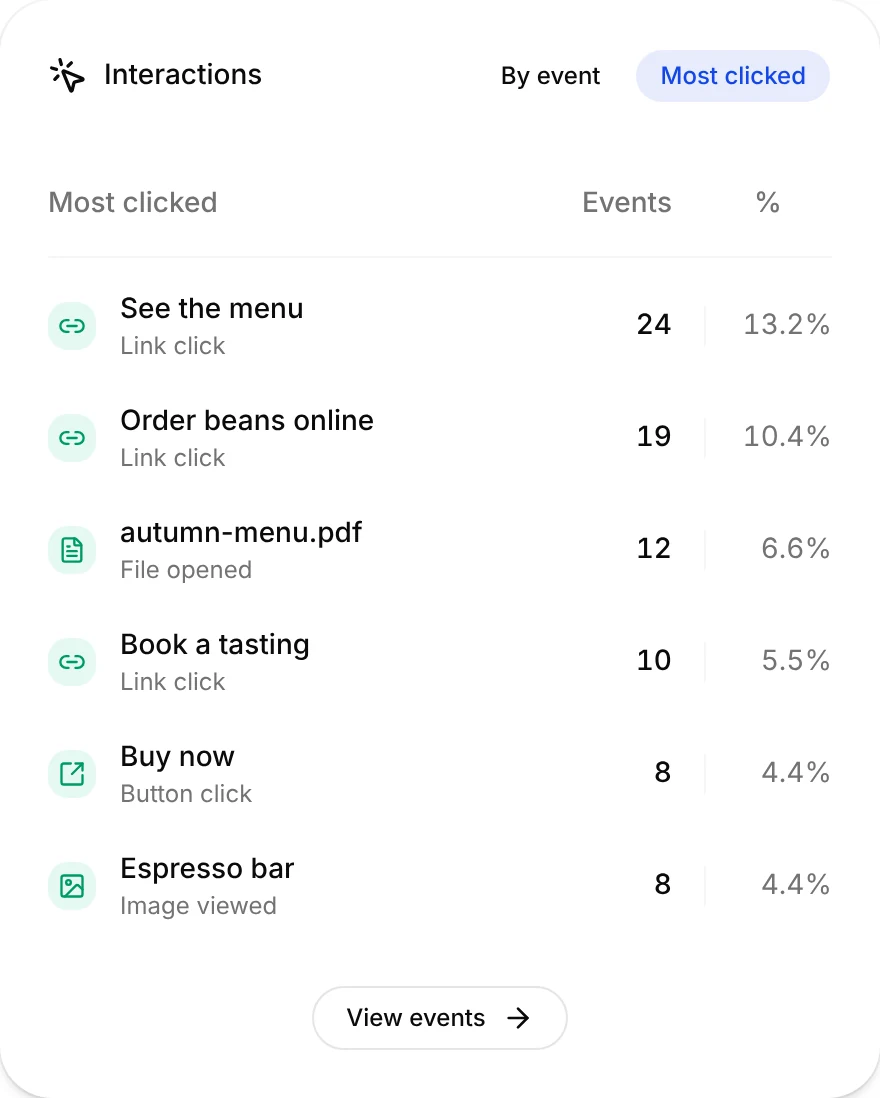
Your analytics page gains an Interactions card: a count for each kind of event, and a Most clicked list of the links, files and buttons people use.
What is recorded
Every page you host reports on its own
No tag to add and nothing to switch on. Pages you already published report too.
Link pages
Link clicks, social icon clicks and contact form submissions.
vCards
Saved contacts, taps on the phone number or email address, and wallet adds.
PDFs and files
Downloads and opens, by file name.
Audio
Plays, listens to the end, and taps on the link button.
Images and galleries
Each picture viewed and each one downloaded.
Product pages
Photos viewed and taps on the buy button.
A QR code that goes straight to your own website reports the scan. What happens on your site stays on your site.
Built in
Yours to slice, export and automate
The same events, wherever you need them.
Choose your columns
Add browser, operating system and referrer, or hide what you do not need.
CSV export
Download the events you are looking at, filters included. On Pro and above.
REST API
List or count events from your own code with two read-only endpoints. On Pro and above.
AI assistants
Ask Claude, Cursor or ChatGPT which link got the most clicks, through the MCP server. On Pro and above.
Team workspaces
A team's events are shared with every member. Your personal workspace stays separate.
Private by design
No IP address is stored with an interaction, and visitors are counted with an anonymous identifier that changes every day.
A scan tells you someone arrived. Events tells you what they did next.
Included on every plan. The free plan shows the last 30 days, and nothing older is deleted.
FAQ
Questions about Events
What is QR code click tracking?
It records what a visitor does after scanning: the link they tap on a link page, the file they download, the contact they save. Each one is listed as an event, next to the scan itself.
Do I need to install or switch on anything?
No. There is no tag to add and no setting to enable. Your QR codes and hosted pages report on their own, including the ones you published before Events existed.
How quickly does an event show up?
Usually within a couple of seconds, without reloading the page. If your network blocks the live connection, the page checks for new events every few seconds instead.
Does it work for a QR code that points to my own website?
It records the scan. What the visitor does on your website is outside UQR, so no interactions are listed for that code. You can change the code's destination to a hosted page, without reprinting, when you want to see what people tap.
Can I see who the visitor was?
No. An event shows a city, a country and a device, not a person. Visitors are counted with an anonymous identifier that changes every day. If you want to know who someone is, add a contact form to the page.
Which plans include Events?
All of them. The free plan shows the last 30 days; older events are kept and come back into view when you upgrade. CSV export, the REST API and the MCP server are part of Pro and above.
Is there history from before Events launched?
For scans and clicks, yes: they have always been recorded. Interactions are counted from November 2026, when Events launched.
See what happens after the scan
Create a QR code or short link for free and watch the first event arrive.