Digital Menu for Restaurants: QR Code, Web Page, or Ordering App?
Most restaurants don't need an ordering platform to go digital. A PDF menu behind a dynamic QR code costs almost nothing, updates in minutes, and never needs reprinting.
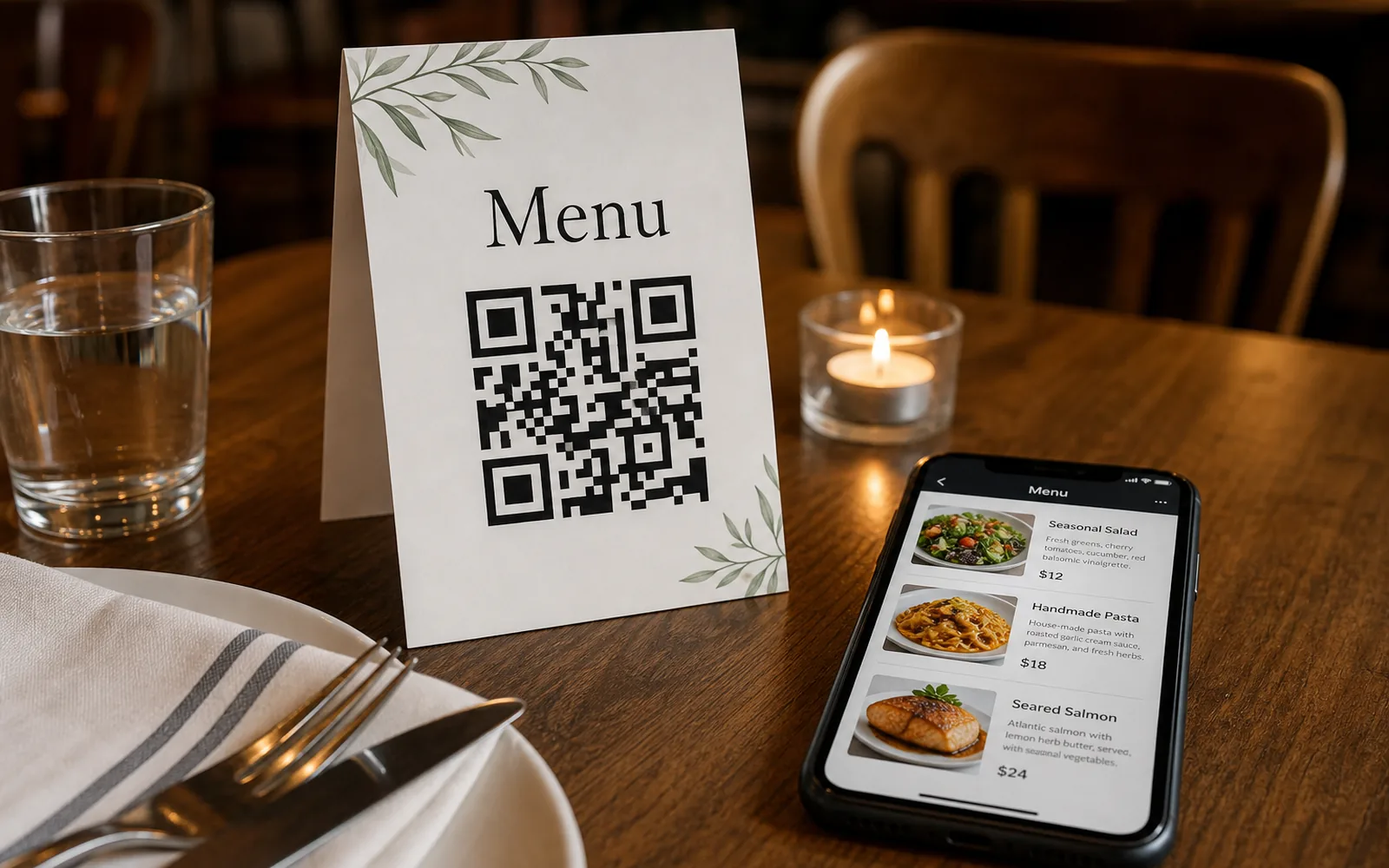
Your menu changes more often than anything else in your restaurant. Prices move with your suppliers, dishes rotate with the seasons, and something sells out on a Friday night. A printed menu freezes all of that in place, and every change means another trip to the print shop.
For most small restaurants, the best digital menu is a PDF behind a dynamic QR code: you print the code once, guests scan it to open the current menu, and when prices or dishes change you swap the PDF in your dashboard. No reprinting, no developer, no ordering-platform contract. Here's how that option compares to the alternatives, and how to set it up in an afternoon.
The three realistic options
When a restaurant decides to go digital, the choice usually comes down to three routes. They solve different problems at very different price points.
| PDF menu + QR code | Menu page on your site | Ordering platform | |
|---|---|---|---|
| Upfront cost | Print a few table tents | Web design or developer time | Setup fees, hardware, or onboarding |
| Updating the menu | Swap the PDF, done | Edit the page (or ask whoever built it) | Update through the platform's tools |
| Ongoing commitment | Minimal | Hosting and maintenance | Subscription or per-order fees, plus lock-in |
| What guests can do | Read the menu | Read the menu | Read, order, and pay |
1. A PDF menu behind a QR code
The menu you already have — the same file you send to the printer — gets uploaded once and linked to a QR code on the table. Guests scan, the current menu opens, and you keep full control of the design because it's your own PDF. This is the cheapest route by a wide margin, and with a PDF QR code that's dynamic (how to make a QR code for a PDF), it's also the easiest to keep current: upload a new file and every code you've ever printed serves the new menu instantly.
2. A menu page on your website
A proper web page can be more readable on a phone than a PDF, and it helps the menu show up in search. The trade-off is that someone has to build and maintain it. If updates go through a developer or an agency, "we changed three prices" becomes a ticket instead of a two-minute task. If you already have a site you can edit yourself, this is a fine destination — and you can still put a QR code on the table that points to it.
3. A full ordering platform
Kiosks, ordering apps, and table-side checkout do more than display a menu: guests can order and pay. That's genuinely useful for high-volume counter service, but it comes with real costs — subscriptions, per-order fees, hardware, staff training — and switching later means migrating your menu, your workflow, and sometimes your printed materials all over again. If you're not sure you need ordering, you can start with a QR menu today and add a platform later; the printed code can simply be repointed at it.
Why the QR route fits small restaurants
The PDF-plus-QR combination isn't a compromise. For a menu that changes often, it's the option that behaves best over time.
Print once, change the menu forever
A dynamic QR code doesn't encode your menu directly — it encodes a short link you control. The laminated table tent never changes, but the file behind it can change every week. New seasonal card? Upload it. Supplier raised prices? Fix the PDF and re-upload. Every code on every table serves the new menu the moment you save.
One link, everywhere your guests look
The same short link behind your table code works anywhere a link works. Add it to your Google Business Profile so people checking your hours see the current menu, and put it in your Instagram bio so a weekend post about the new special leads somewhere accurate. One menu file, updated once, correct everywhere.
Codes per table or per zone, so you learn something
Because each QR code has its own link, you can print different codes for different areas — dining room, bar, patio, takeout counter, delivery inserts — and see which ones actually get scanned. The dashboard shows scan analytics for every code, and the free plan keeps 30 days of history: enough to compare a normal week against a holiday weekend. The free plan includes 5 dynamic QR codes, which covers a zone-level split comfortably; if you want a code on every single table, bulk generation from a CSV (Business) builds the whole batch in one go. See bulk QR codes.
Tip Name each code after its location ("Patio", "Bar", "Delivery insert") before you print. When the scan numbers come in, you'll know exactly which placement is earning its spot.
The fine print: make sure your menu code can't die
There's a technical detail worth understanding before you laminate anything. A static QR code encodes its data directly in the printed pattern, so it can never expire — but it also can never be edited, which defeats the purpose for a menu. A dynamic code points to a redirect the provider keeps alive, which is what makes editing possible — and it means the provider's policy matters. Some services deactivate dynamic codes created on a free trial after a few days, which turns every table tent you printed into a dead end.
On UQR, QR codes never expire, on the free plan included. The only expiry that exists is one you deliberately set yourself — an optional expiration or password control (Pro) for things like a limited-time tasting menu. Your table codes stay live for as long as you want them to, full stop.
Quick start: launch your QR menu this afternoon
- Export your menu as a PDF. Whatever you'd send to the printer works. Keep the file name sensible ("menu-summer-2026.pdf") so future-you knows what's live.
- Open the restaurant QR menu generator and upload the file. You can design and preview without an account; you'll sign up free at the moment you download.
- Make it yours. Add your logo in the center, match your brand colors, and pick a frame with a call to action like "Scan for menu."
- Download and print. PNG, SVG, and PDF are all available, so the same code works for a laminated table tent, a window sticker, or your print shop's vector workflow.
- Spread the link. Put the same short URL on your Google Business Profile and in your Instagram bio.
- When the menu changes, swap the file. Upload the new PDF from your dashboard and every printed code updates instantly.
Note Repeat step 2 for each zone you want to measure separately — one code for the dining room, one for the patio, one for delivery inserts — and the analytics will tell you where guests actually scan.
Key takeaways
- A PDF menu behind a dynamic QR code is the cheapest digital menu for restaurants, and the fastest to update: swap the file, and every printed code serves the new menu.
- A menu web page reads well on phones but needs someone to build and maintain it; a full ordering platform adds ordering and payment at the cost of fees and lock-in.
- Per-zone codes plus scan analytics show which placements earn their spot; the free plan includes 5 dynamic codes and 30 days of scan history.
- Static codes can't expire but can't be edited; dynamic codes depend on the provider's policy — on UQR they never expire, free plan included, and the only expiry is one you set yourself.
Ready to retire the reprint cycle? Create a QR code menu for your restaurant, or start from any file with the PDF QR code generator — design and preview are free before you ever sign up.