How to Make a QR Code for a PDF: Upload, Style, Download
Turn any PDF into a scannable QR code in minutes — upload the file, style the code, download it print-ready, and swap the PDF later without reprinting.
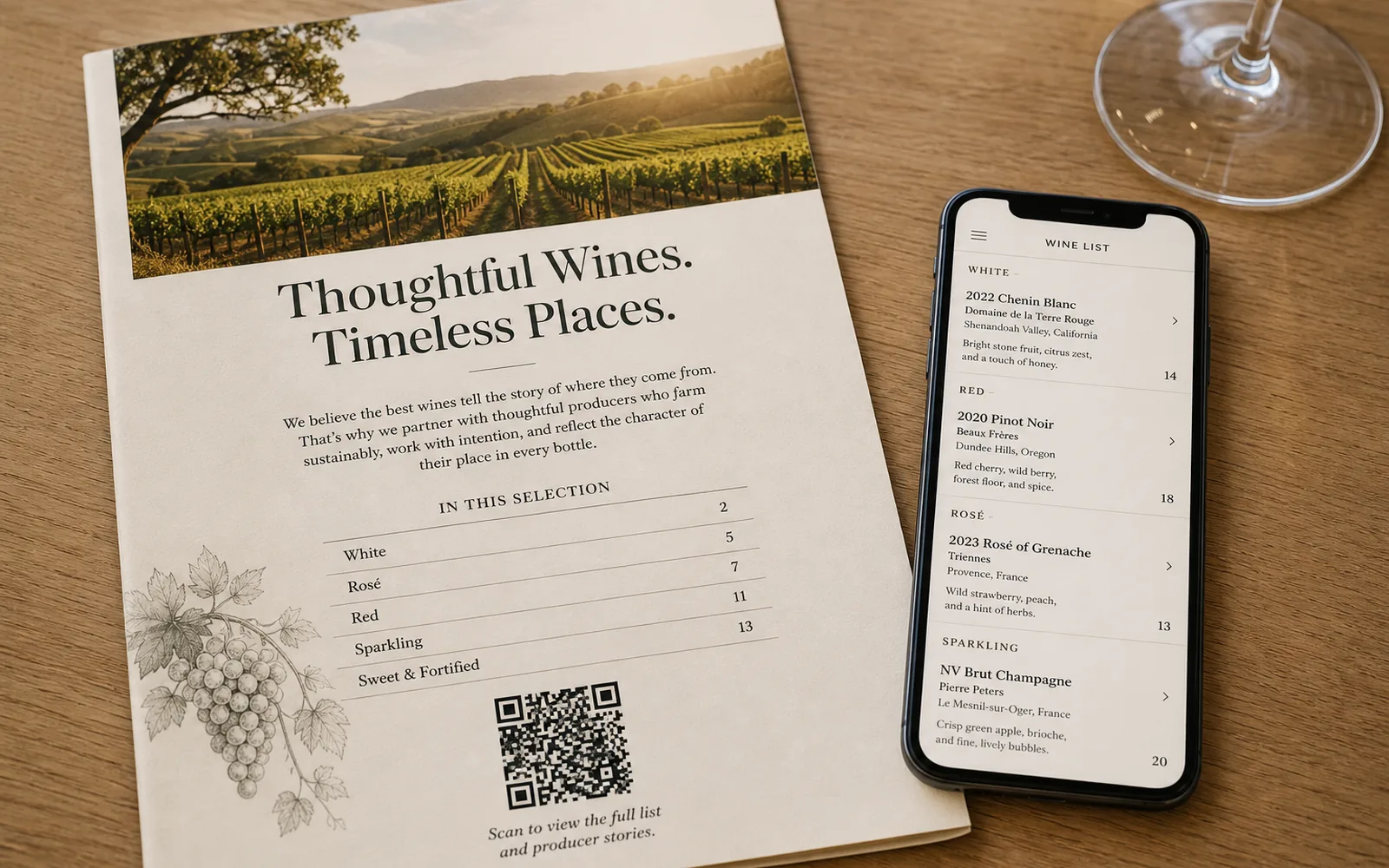
You have a PDF — a menu, a manual, a brochure, an event program — and you want people to open it by pointing a phone camera at a printed page. That's exactly what a PDF QR code does: one scan, and the document opens in the visitor's browser. No app, no typing a URL, no "let me email that to you."
Here's how to make a QR code to a PDF, why the mechanics behind it matter more than most people realize, and the honest answers to the two questions everyone asks: does it expire? and is it really free?
The short answer: open the PDF QR code generator, upload your PDF, style the code with your colors and logo, and download it as a PNG, SVG, or print-ready PDF. The code points to your file through a short link you control, so you can replace the PDF later and every printed copy keeps working.
How to make a QR code for a PDF in 4 steps
1. Upload your PDF
Go to the PDF QR code generator and upload your document. Large files are supported, so a full image-heavy brochure or a multi-page manual works just as well as a one-page flyer. Once the file is in, the live preview shows the code that will open it.
2. Style the code
Make it look like yours: pick custom colors that match your brand, drop your logo in the center, and add a frame with a call to action like "Scan for the menu." You can design and preview freely without an account — this is the part worth taking a minute on, because the code is often the only visual invitation to scan.
3. Download it
When the design is right, download the code. This is the moment you create a free account, and it's not a formality: the account is where your code lives afterward, which is what makes it editable and trackable later. You get three formats:
- PNG for documents, slides, and anything on screen.
- SVG for designers — a vector that scales to any print size without blurring.
- PDF ready to hand straight to a printer.
4. Test, then print
Scan the downloaded code with a couple of phones before you send anything to print. Confirm the document opens and reads well on a small screen. Then print with confidence — as you'll see next, the printed code is not something you'll ever need to redo.
Tip Keep strong contrast between the code and its background, and don't shrink it below roughly 2 × 2 cm on printed material. A stylish code that scanners can't read is just decoration.
What actually happens behind the scan
This is the part that separates a good PDF QR code from a liability. The printed pattern does not contain your PDF — it encodes a short link. When someone scans, that link redirects to whichever file is currently attached to it.
That indirection buys you two things:
You can swap the PDF anytime. Upload a new version from your dashboard and every printed copy — the table tents, the posters, the boxes already shipped — instantly serves the new file. The pattern on paper never changes; only what's behind it does. This is the dynamic QR model, and it's covered in depth in our guide to dynamic QR codes.
You can see what's happening. Because scans pass through the short link, your dashboard shows scan analytics for every code — how many scans, and when. The free plan keeps 30 days of history, which is plenty to tell whether the poster in the window is actually earning its spot.
Does a QR code for a PDF expire?
No. On UQR, QR codes never expire — free plan included. The only expiration that can ever exist on your code is one you deliberately set, using the optional expiration and password controls (Pro) for time-boxed or gated content.
The reason this question comes up so often is a real technical distinction worth understanding:
| Static QR code | Dynamic QR code | |
|---|---|---|
| What's in the pattern | The data itself, baked in | A short link the provider redirects |
| Can it expire? | Never — nothing to switch off | Only if the provider stops the redirect |
| Works for a PDF? | Not really — a file can't live inside the pattern | Yes — the link opens the hosted file |
| Editable after printing? | No | Yes |
A static code physically cannot expire, because the data is in the pattern itself. But a PDF doesn't fit inside a QR pattern — any "PDF QR code" is, by nature, a link to a hosted file. That makes it dynamic, and dynamic codes depend on the provider keeping the redirect alive. This is why provider policy matters more than any feature list: some well-known generators deactivate dynamic codes created on a free trial after just seven days, which means a code you already printed goes dead. UQR's policy is the opposite — codes never expire, on any plan.
Is it really free?
Yes, with a clear limit rather than a hidden one: the free plan includes 5 dynamic QR codes. Each of them is fully editable, never expires, and comes with scan analytics (30 days of history). For a restaurant menu, a product manual, and a brochure or two, the free plan simply covers it — there's no trial clock running against your printed material.
Where PDF QR codes earn their keep
Restaurant menus. The classic. A code on the table opens the current menu, and when prices or dishes change, you upload the new PDF instead of reprinting laminated cards. There's a dedicated restaurant menu QR code flow for exactly this. QR vs web page vs ordering app is covered in digital menu for restaurants.
Product manuals. Print one code on the packaging or the device itself. When you revise the manual, every unit already sold links to the latest version — including units printed years ago.
Brochures and catalogs. Hand out a business card or flyer with a code to the full brochure. The heavy, detailed document stays digital and always current, while the printed piece stays light.
Event programs. A code on the badge or entrance banner opens the schedule. Speaker cancelled, room changed? Update the PDF the morning of the event; every printed badge follows.
Spec sheets. Sales teams and trade-show booths live on these. One code per product line, always pointing at the latest revision, so nobody quotes from an outdated sheet.
Need more than one at a time?
If you're tagging an entire catalog rather than a single document, you don't have to repeat these steps hundreds of times. You can generate QR codes in bulk from a CSV (Business), or automate creation through the REST API (Pro+) — it plugs into tools like n8n for hands-off workflows. Bulk QR codes. REST API (Pro+). The API docs are the second door into the same API.
Key takeaways
- Making a PDF QR code takes four steps: upload the file, style the code, download it (PNG, SVG, or PDF), and test before printing.
- The printed code encodes a short link, not the file — so you can swap the PDF anytime and every printed copy updates instantly.
- QR codes on UQR never expire, free plan included; the only expiry is one you choose to set.
- The free plan includes 5 dynamic QR codes with editing and 30 days of scan analytics.
- Menus, manuals, brochures, event programs, and spec sheets are the use cases where "edit without reprinting" pays for itself fastest.
Ready to turn your document into a scannable link? Make a PDF QR code — design and preview it free, and sign up at download so the code stays yours to edit.